Type & logo lab · macOS · Windows · Web
Type that morphs,
moves and melts.
Blend one typeface into another, set lettering in motion, and render it as liquid chrome, neon, glass or pixels, live on the GPU. Then export a real font.
The poster deck
Puffy, chrome, pixel.
Six posters from the app.
Each card is a real template with its real settings. Point at one to tilt it, then click to turn it over.
What it does
A whole type studio,
in one small app.
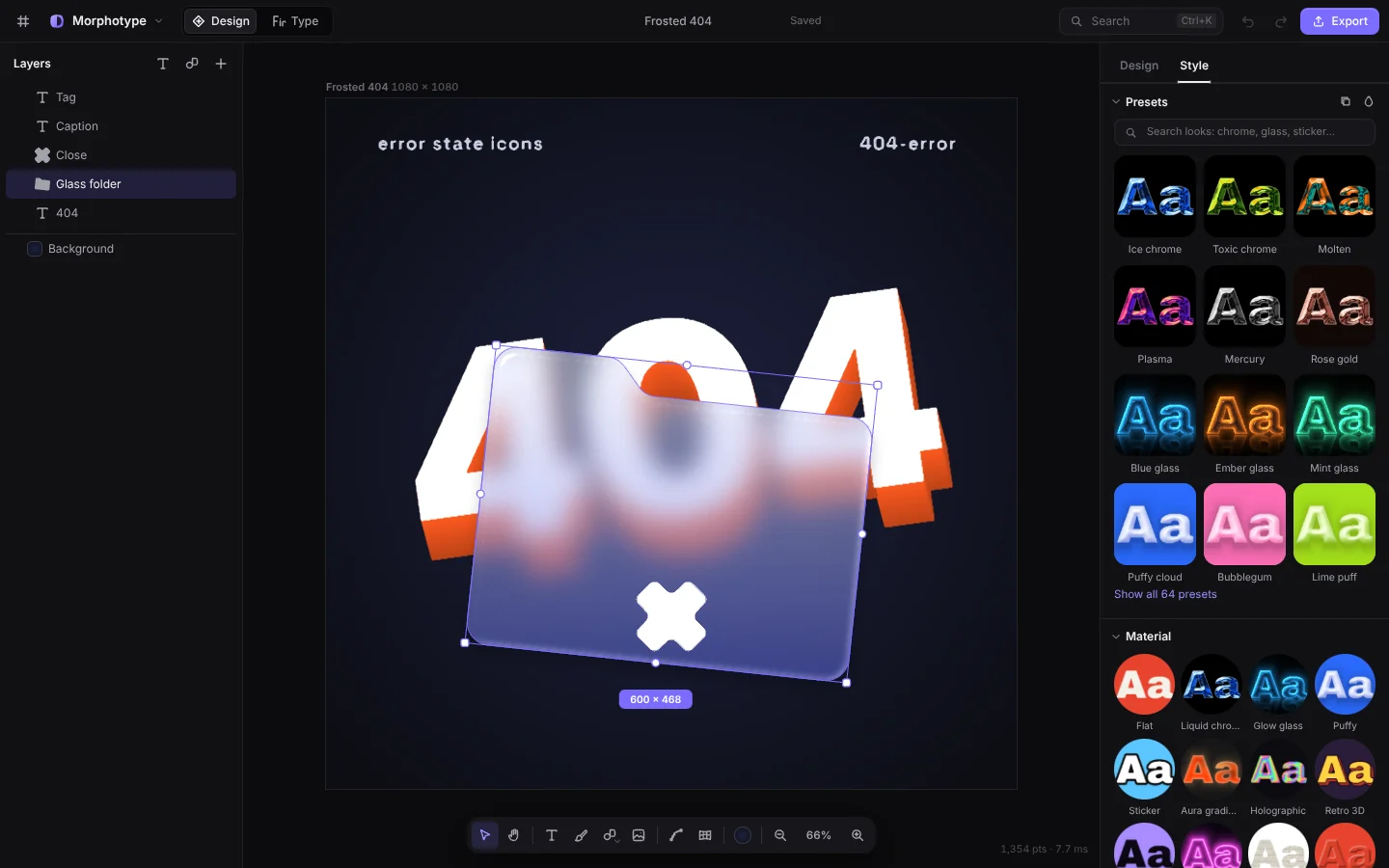
Morph fonts
Blend any two typefaces curve to curve. Letters stay on the baseline and x-height.
Motion timeline
Entrances, loops, paths of stops and letter-by-letter text, edited on a timeline.
Live materials
Chrome, glass, neon, holo, plush, riso and pixel, drawn by GPU shaders in real time.
Pen and shapes
A pen that snaps where you mean it, plus a kit of shapes and stackable modifiers.
Real fonts out
Compile your lettering into an installable TTF, WOFF or a web font kit.
Kerning editor
Drag letter pairs into place, with classes and exceptions written to GPOS.
Trace and pixel
Trace pictures into vector marks, or turn them into pixel art with dithering.
Export anything
PNG, JPG, SVG, MP4 and WebM, exported at full quality and the same every time.
Motion, frame for frame
The timeline you edit
is the one that plays.
Lines that draw themselves on, pixel badges that build back, vinyl that breathes. Under each scene are its real tracks: drag across them to scrub.
Two modes
Design for logos and posts.
Type for whole fonts.
What’s new
Version 0.9.1
- A motion editor. A timeline dock with a row for every moving layer: drag to retime, click to edit.
- A path of stops. Then › Move to… goes on through any number of stops, each with its own wait and feel.
- Letter by letter. Text moves one letter or word at a time, without breaking it apart.
- A kerning editor. Drag pairs into place, with classes, suggestions and exceptions.
- Smoother morphs. Blended fonts are drawn curve to curve, with a third of the points.
- Faster everywhere. Home loads half the code, and moving shapes no longer stall the GPU.
Free and open source
Get Morphotype.
The apps aren’t signed yet. On a Mac, open it once from System Settings → Privacy & Security. On Windows, choose More info → Run anyway.